
Find product pages for you
Start from a supported store, collection, or product URL when you do not already have every product-page URL.
Download product images from a store catalog without collecting every product URL yourself. Preview the products for free, choose the ones you need, then process their images. Your results stay organized by product.
Tested ecommerce platforms: Shopify, WooCommerce, Wix Stores, PrestaShop, BigCommerce, Magento, Shopware, and OpenCart. Public-data and URL compatibility varies. See supported URLs.
Only need one product page? Use Scan Single Page →
Start with a public store, collection, or product URL. Store Catalog looks for product pages in the public data the store makes available. What it finds depends on the store and URL type.
Product count is not image count. The preview count is the number of products discovered. Previewing, filtering, and selecting products is free. Credits are used only when selected products are processed.
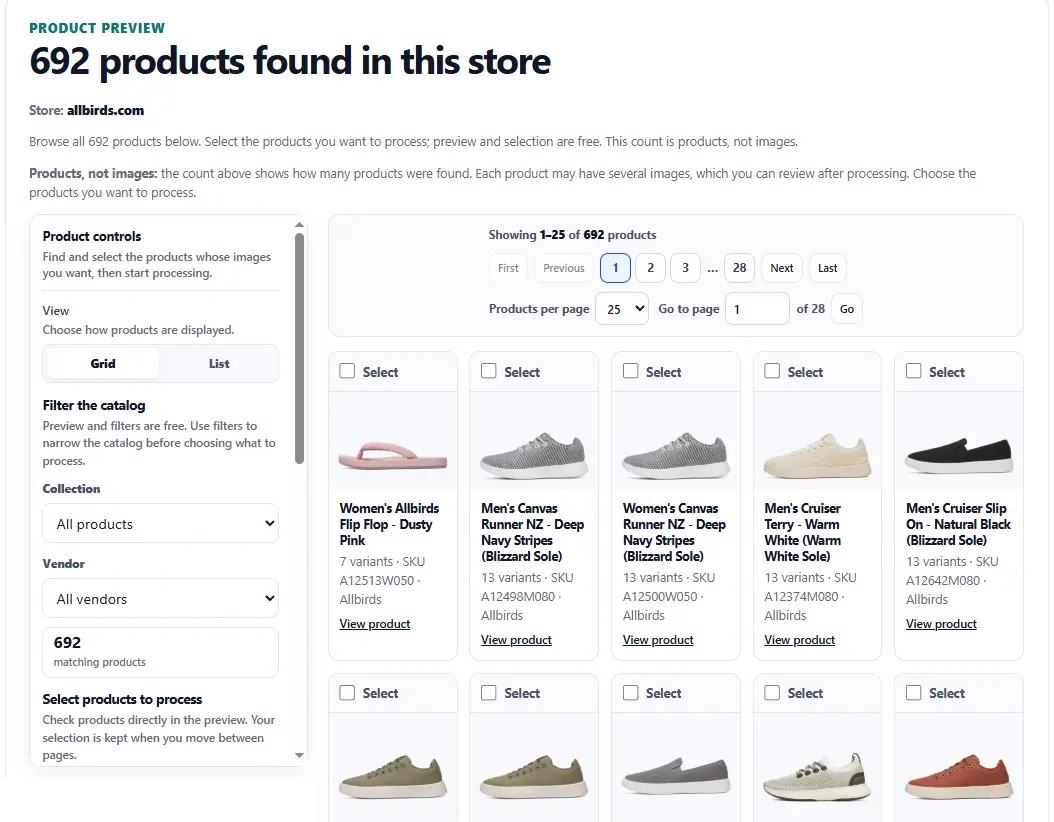
Start from a supported store, collection, or product URL when you do not already have every product-page URL.
Use available collection and vendor filters to narrow a large catalog before choosing which products to process.
Each product has its own images, review controls, and downloads. Combined ZIPs keep products in separate folders and include metadata that maps downloaded files back to their product and source.
Completed products remain available if another product fails or you cancel the remaining work, so unfinished products can be retried separately.
Already have the exact product pages? Use Multiple URLs. Only need images from one product page? Use Scan Single Page or read the Product Image Downloader guide. Store Catalog is the workflow for discovering products across a supported public store.
You can review a product's images, download its ZIP, inspect metadata, or add its files to a combined ZIP. Each completed result shows its image count and whether larger verified source files were found.
The combined download shows the current image-file count and estimated size. Once the ZIP is built, check how many image files were actually included and retry any failed file downloads without reprocessing completed products. You can include all verified versions if you want the additional files available for each selected product. Higher-resolution recovery is included when the scan can find and verify a larger public version of the same image.
You can also review each product's images and alt text, adjust image filters and filenames, or download an image list (CSV). Combined exports include a run manifest plus per-product product, variant, and asset metadata. Large combined downloads are split into ZIP parts when needed.
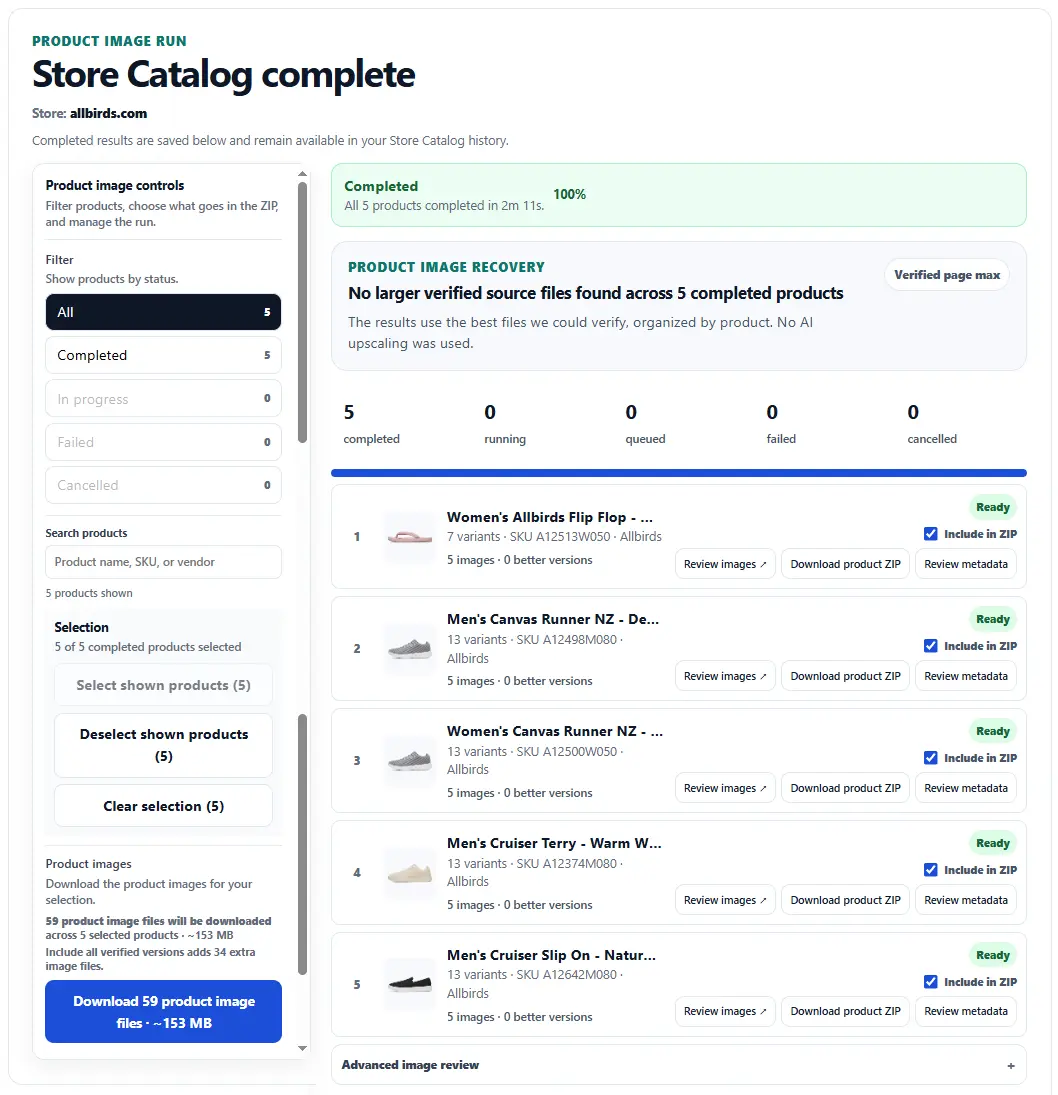
If a product fails or you cancel the remaining work, completed products stay available. Retry only the unfinished products instead of rerunning successful ones. Failed processing and queued products cancelled before processing starts use no credits. A product cancelled after processing starts can still use its normal 2-credit processing charge.
Catalog Preview is free. Business supports up to 250 selected products per run, and Scale supports up to 1,000. Each successfully processed product uses 2 credits. Paid results stay available for 24 hours after the run finishes, so you can reopen, review, and download them again during that window without using more credits. After the result expires, processing those products again uses the normal credits.
We have tested Store Catalog on eight ecommerce platforms: Shopify, WooCommerce, Wix Stores, PrestaShop, BigCommerce, Magento (Adobe Commerce), Shopware 6, and OpenCart. What Store Catalog can discover depends on the public data and URL type each store exposes.
Shopify supports compatible public store and collection catalogs. WooCommerce and Wix discovery depends on public product sitemaps or linked product pages. PrestaShop, BigCommerce, Magento, Shopware, and OpenCart have additional platform-specific discovery for supported public categories or product pages. The tested examples do not guarantee every theme, store, or page will work.
Squarespace Commerce: individual product pages can be scanned, and some stores may be discoverable through compatible public sitemaps. There is no dedicated Squarespace Store Catalog discovery path or guarantee of complete product discovery.
See supported platforms and which URLs to use, including tested examples and limitations, before processing credits.