
One product page
Use the free scanner when you already know the exact public product page you need.
Scan Single PageUse Store Catalog to find and download product images on a supported public Shopify store. Preview products for free, choose a collection when available, and process only the products you want. Downloads stay organized by product.
Preview a Shopify catalog for free. Processing selected products requires Business or higher, starting at $29/month. For one known product page, use Scan Single Page. See pricing.
Paste a public Shopify store, collection, or product URL into Store Catalog. Stores that expose supported public catalog data can be previewed without installing an app or signing in to Shopify Admin.
Starting with a Shopify collection URL limits the preview to that collection. If you start with the whole store, use the available collection and vendor filters to narrow the results.
Store Catalog uses public storefront and catalog data that Shopify exposes to visitors. It does not require private Shopify Admin access, an installed Shopify app, or your store credentials. A storefront that blocks or does not expose supported public catalog data may not be discoverable.
This workflow is for image files. It is not a Shopify product-data export for prices, inventory, descriptions, orders, or general store administration.
Shopify can serve several resized or cropped versions of a product photo. For each selected product, Source Image Finder checks for larger public versions and verifies that they match before offering them for download. How higher-resolution image recovery works →
We also measured this recovery behavior across a saved 20-page Shopify test set. See the Shopify Source Image Recovery Benchmark →
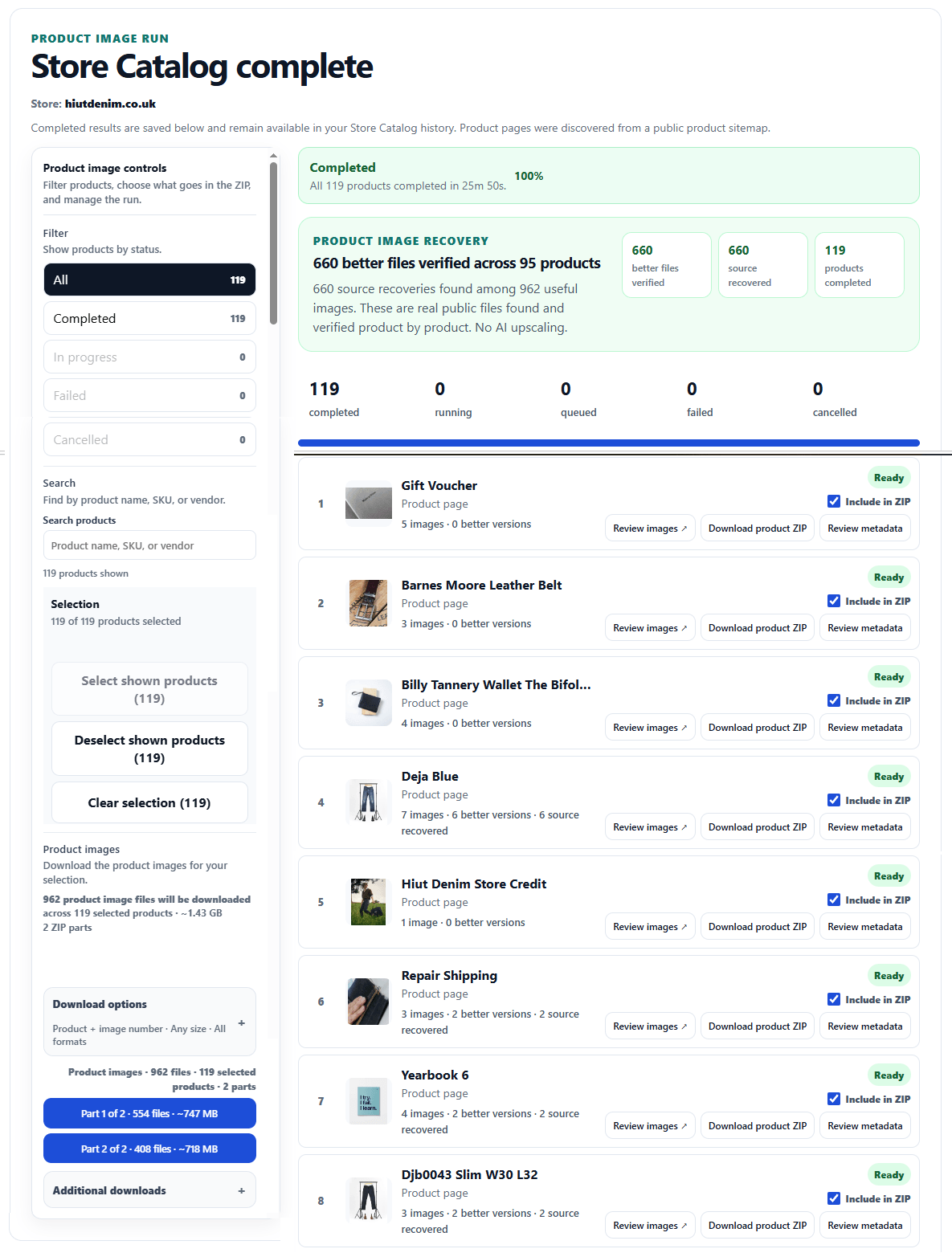
Completed Shopify products stay in separate result groups. Review a product on its own, download its ZIP, or combine selected completed products into a larger export.
Yes. Store Catalog can process selected Shopify products together, subject to your plan limits.
No. The storefront must be publicly accessible and expose supported public catalog data that Source Image Finder can discover.
Use the free scanner when you already know the exact public product page you need.
Scan Single PageUse Multiple URLs when you already have a list of exact product pages and do not need catalog discovery.
Open Multiple URLsUse Store Catalog when you want Source Image Finder to discover products before you choose what to process.
Open Store Catalog