
MULTIPLE URLS
Use product pages you already know
Choose Multiple URLs when you already have a list of exact product-page URLs.
Use Multiple URLsPaste a public product-page URL to find and download product images. Review the results, choose the files you need, and download them individually or together as a ZIP.
Use the free Scan Single Page tool to find images on a product page. It scans the exact page you enter; it does not discover other product pages across a store. You can review the results before choosing what to download.
Free single-page scanning · no signup required
The scan checks the whole product page. It can find gallery photos, close-ups, lifestyle images, backgrounds, and brand images. Photos of related or recommended products may also appear if they are on the page.
Source Image Finder checks standard and responsive image sources, lazy-loaded images, supported background images, and image requests observed while the page renders. It groups versions of the same image, leaves Site UI out of the recommended selection, and checks for larger public versions when available.
Use categories and filters to find the images you want, then select them for download. Icons and other page graphics are grouped under Site UI and left out of the recommended selection.
See how eight image downloaders handled the same kinds of product pages in our benchmark →
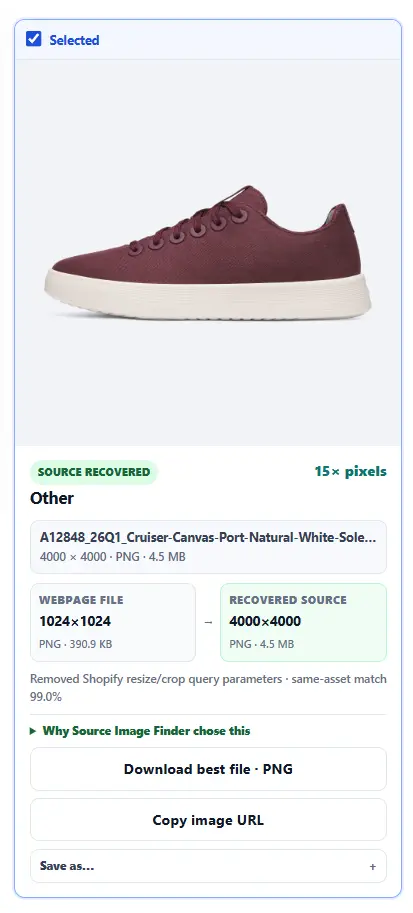
When a larger public version is available, the scanner can use it as the best file. Results depend on what the product page and site make publicly available. How higher-resolution recovery works →
We tried Source Image Finder on four public product pages: one each from Shopify, WooCommerce, Wix and BigCommerce. We checked the actual downloaded images, not just the scan results.
51 of 52 selected image files downloaded in the original tests. One BigCommerce file failed. When we scanned that page again later, both files downloaded. This was a new scan, not a successful retry of the earlier failure.
Allbirds showed larger public image versions, WooCommerce included photos for three color choices, and Wix returned five gallery images. Extra image sizes were available when requested, while page graphics were generally left out of the default selection. Some recommended files were supporting or related-product images, not photos of the main product.
These results describe four specific pages, not how every store performs. The ZIPs also contain records of what failed and what could not be verified.
| Product page | Images found | Recommended | Default ZIP |
|---|---|---|---|
| Allbirds (Shopify) | 49 | 36 | 36 of 36 |
| Focus Blouse (WooCommerce) | 26 | 8 | 8 of 8 |
| Willow Boutique (Wix) | 8 | 6 | 6 of 6 |
| Chambray Towel (BigCommerce) | 3 | 2 | 1 of 2 |
What was recovered? Allbirds reported 25 images with larger verified public files, across gallery and other page imagery. WooCommerce included three linked product-variant photos but no larger verified file. Wix recovered five gallery photos; its one reported better source was a background with identical decoded pixels. BigCommerce verified a 900×900 version of one towel photo, up from a 500×500 webpage image. The other selected gallery photo failed its best-file integrity check in the original ZIP.
What was excluded? The default export downloaded one best verified version per selected image. Turning on all versions added thumbnails and other verified sizes. Site UI and customer-review media were excluded from Recommended where applicable; the Recommended set can still include related products, logos and supporting page assets.
What remained unavailable? The BigCommerce default ZIP included 1 of 2 selected image files; its failed-file retry for the two missing all-versions entries recovered 0 of 2. The ZIP kept an error report instead of accepting changed bytes. Each scan also listed 12 additional unverified candidates; those are not proven unavailable images.
Follow-up: BigCommerce, October 14 (.70). A fresh scan of the same Chambray Towel page delivered both selected product photos: 2 of 2 files in the default ZIP, with no download errors. The all-versions ZIP also downloaded nine additional version entries (some byte-identical). The earlier failed selection used a 1280w CDN URL; this scan selected 960w, returning a 900×900 JPEG already verified in the earlier all-versions export. This successful fresh scan did not exercise the new failed-file alternative retry.
Method: public Single Page scans with default Recommended selection, followed by ZIPs with “Include all verified versions” off and on. Exact webpage addresses, scan screenshots, CSV exports, downloaded-file SHA-256 hashes and BigCommerce error reports are preserved in the research evidence archive (ZIP; includes the .70 follow-up). The original failed downloads are recorded as observed on the tested build; a later retry improvement is not claimed to have fixed this run.
Choose Multiple URLs when you already have a list of exact product-page URLs.
Use Multiple URLsChoose Store Catalog when you want Source Image Finder to discover products before you decide what to process.
Open Store CatalogUsing a supported ecommerce platform? See the Shopify Image Downloader or WooCommerce Product Image Downloader guide.