
Website Image Downloader Benchmark
We tested website image downloaders on the same public ecommerce and Wix webpages. We compared the files they returned to see which tools found larger images, how they handled responsive variants and duplicates, how downloads were named and organized, which file formats they returned, and whether downloads completed reliably.
These comparisons were performed and published by the company that makes Source Image Finder. They are not independent third-party tests. Results apply only to the public URLs, settings, files, and test dates described here. Websites and tools can change.
What we measured: downloaded pixel dimensions, fixed product-image targets, responsive variants, exact duplicate image files, download counts, filenames, organization, source traceability, and relevant format differences. Not scored: visual quality beyond pixel dimensions, speed, ease of use, pricing, customer support, or authenticated/private pages.
Allbirds homepage: larger source image test
For our first test, we scanned the Allbirds homepage, a popular Shopify shoe store, with all ten tools and compared the same two fixed product images. Three tools returned 4000×4000 versions of both images: Source Image Finder, extractpics.com, and Grabit. Six returned 1024×1024 versions. ToolNova did not return either fixed homepage target in the retained core test. Larger source images preserve more product detail, which can be useful when shoppers want a closer look at materials, texture, and construction.
The split panel below shows the difference between a 1024×1024 image and the 4000×4000 version returned in this test.
The same image at two sizes
15.26× as many pixels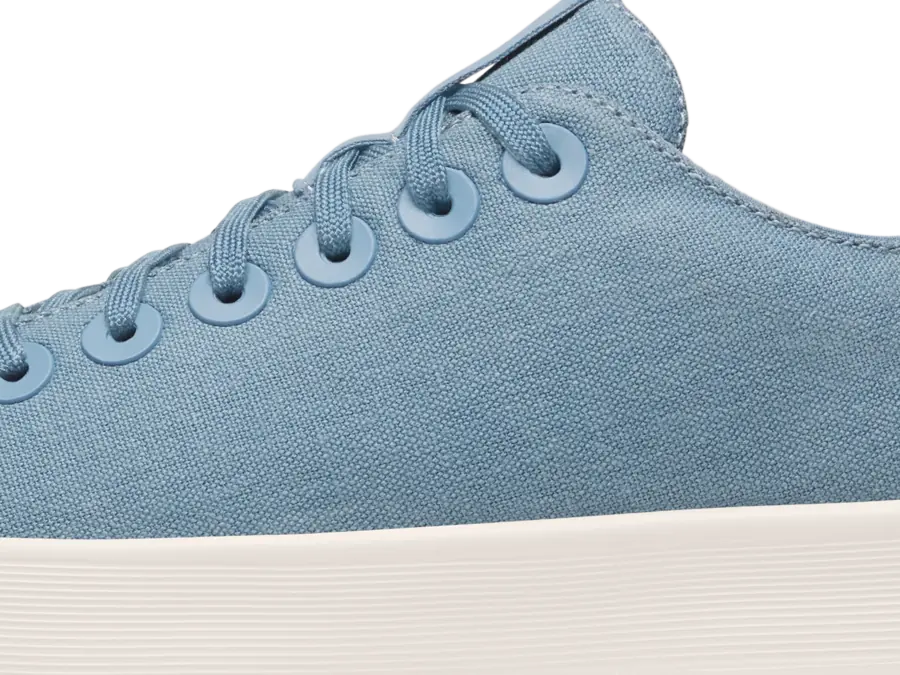
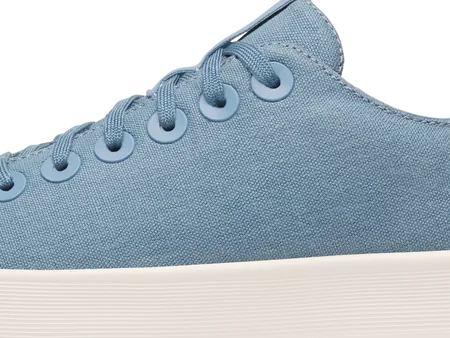
Detail view: drag the divider to compare the same matched area of both images. Use the links below to open the complete files.
Detail crop: showing 50% 1024×1024 file and 50% 4000×4000 file.
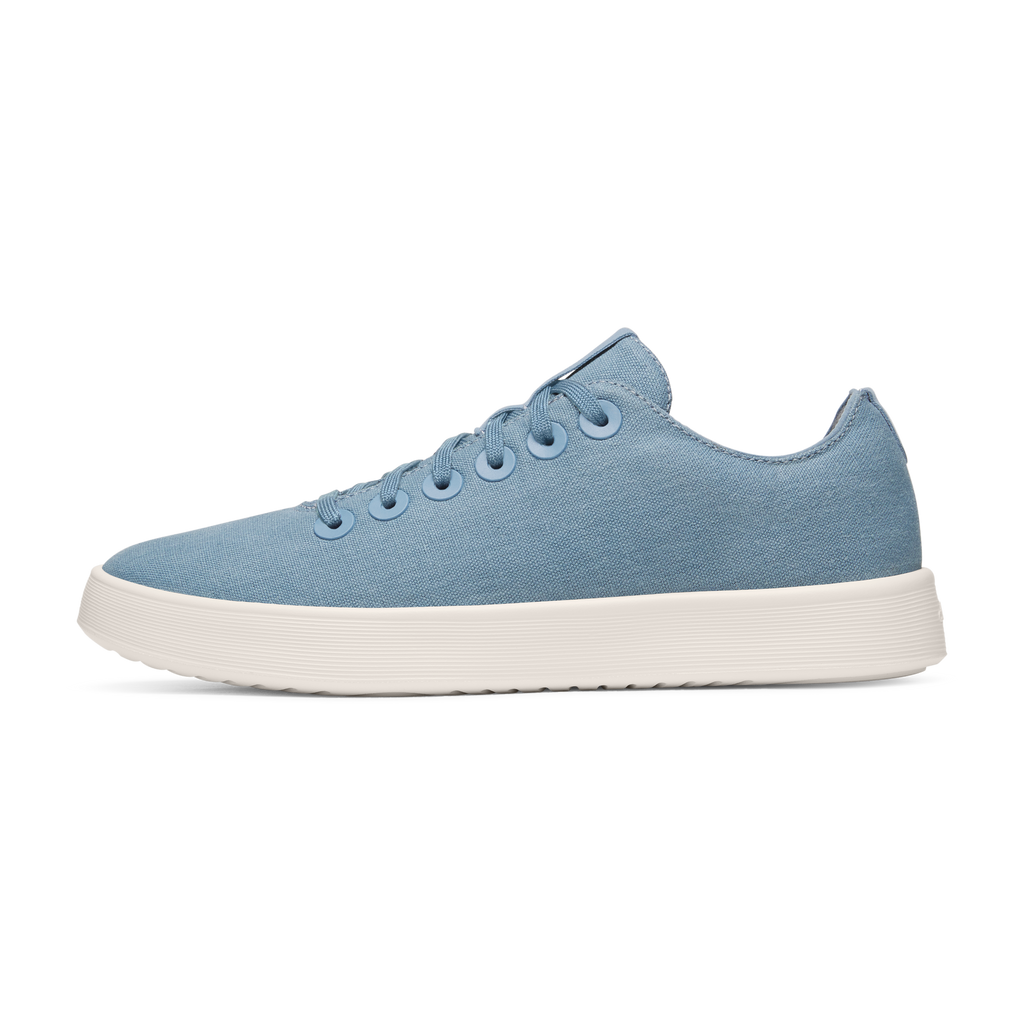
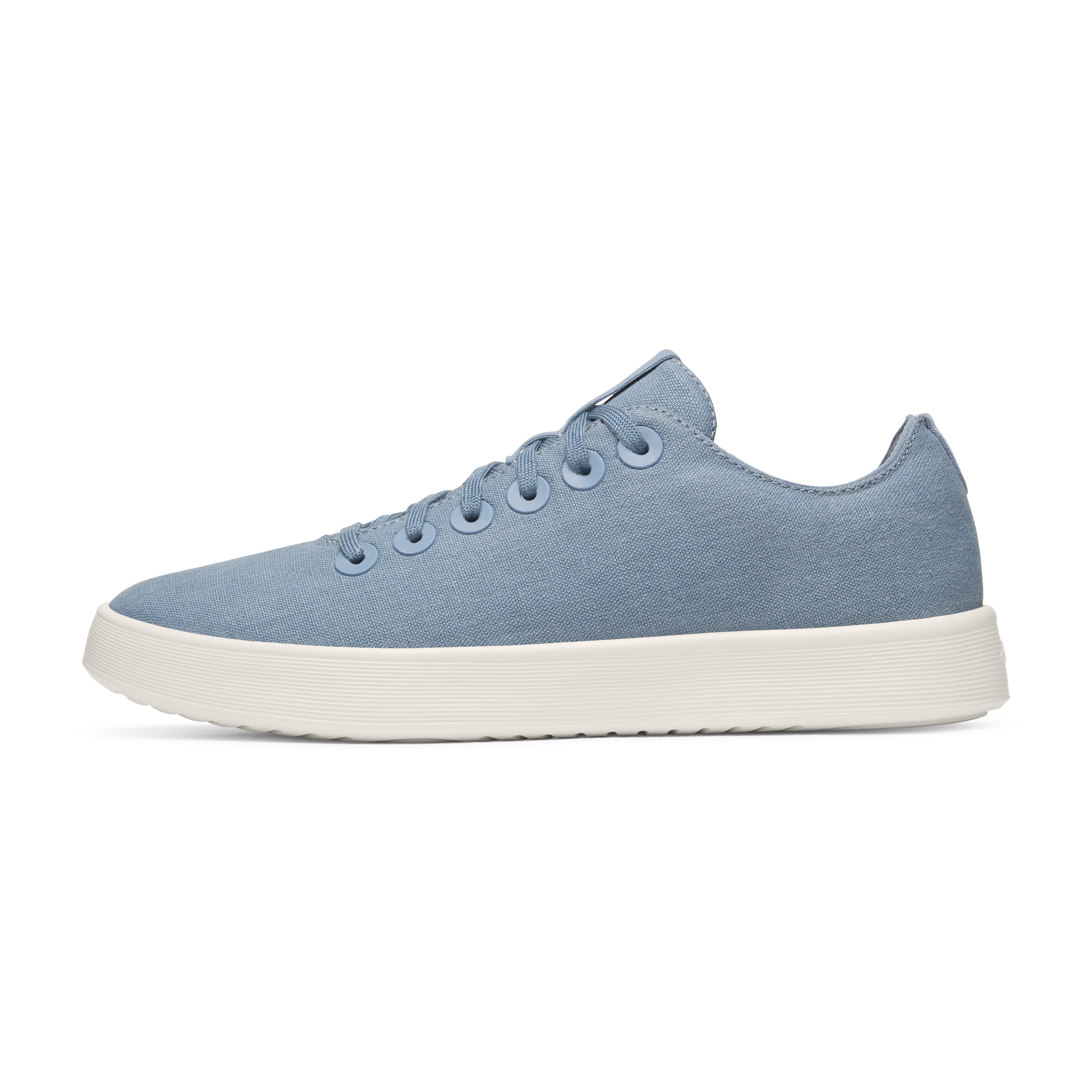
Dimensions measured from the files · No AI upscaling or editing. The larger result is a public file that was already available from the website. The viewer uses an optimized WebP copy of the 4000×4000 file for page performance; the original PNG is linked above.
The 1024×1024 file shown in the split panel was returned identically by Website Image Xtractor, extract.pics, IMGDownloader, and Image Downloader by Pact Interactive. extractpics.com and Grabit are not shown on the smaller side because both also returned 4000×4000.
Allbirds homepage results
| Image downloader | Product image 1 | Product image 2 |
|---|---|---|
| Source Image Finder | 4000×4000 | 4000×4000 |
| extractpics.com | 4000×4000 | 4000×4000 |
| extract.pics | 1024×1024 | 1024×1024 |
| Imageye | 1024×1024 | 1024×1024 |
| GetAnyImage | 1024×1024 | 1024×1024 |
| Grabit | 4000×4000 | 4000×4000 |
| IMGDownloader | 1024×1024 | 1024×1024 |
| Image Downloader by Pact Interactive | 1024×1024 | 1024×1024 |
| Website Image Xtractor | 1024×1024 | 1024×1024 |
| ToolNova | Not returned | Not returned |
Test settings: Source Image Finder used Scan Single Page with Include Site UI off and Include all verified versions off. extractpics.com used Quick Extract. Grabit used its unchanged common/default extension settings: Prefer full size on, Original format, Medium speed, and a 60 px minimum detection size. The other tools used their normal single-page or default workflow.
Allbirds product page: five gallery images
We then gave all ten tools the exact Cruiser Canvas product page and compared the same five product-gallery images.
| Image downloader | Images downloaded at 4000×4000 (out of 5) | Sizes of the remaining images |
|---|---|---|
| Source Image Finder | 5 of 5 | None smaller |
| extractpics.com | 5 of 5 | None smaller |
| extract.pics | 1 of 5 | 4 at 1280×1280 |
| Imageye | 1 of 5 | 4 at 1280×1280 |
| GetAnyImage | 1 of 5 | 4 at 1280×1280 |
| Grabit | 0 of 5 | 5 at 1280×1280 |
| IMGDownloader | 1 of 5 | 4 at 1280×1280 |
| Image Downloader by Pact Interactive | 0 of 5 | 5 at 1280×1280 |
| Website Image Xtractor | 0 of 5 | 4 at 1280×1280; 1 at 1024×1024 |
| ToolNova | 0 of 5 | 5 at 1280×1280 |
Same dimensions, different format
extractpics.com matched Source Image Finder at 4000×4000 for all five fixed gallery images. The downloaded formats differed: Source Image Finder returned the source PNG files, while extractpics.com returned WebP versions at the same dimensions.
Resolution result: tie. Source Image Finder returned PNG and extractpics.com returned WebP at the same dimensions. The format difference does not establish that one file necessarily looks better.
FreshCap: why raw file counts can be misleading
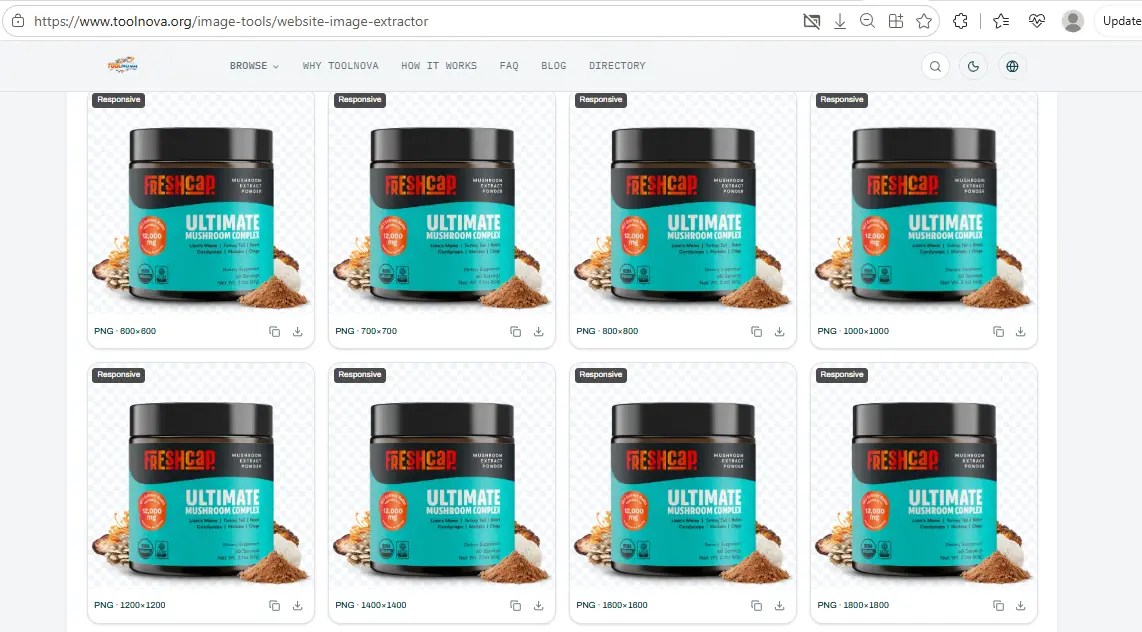
We ran all ten benchmark tools on the FreshCap homepage. Their observed counts ranged from 6 downloaded images to 704 selected items, but those numbers did not measure the same thing. Some tools grouped responsive sizes, some exposed multiple variants, some filtered before download, and the tested extract.pics account limited each download to 100 images.
| Image downloader | Interface / selection result | Retained download |
|---|---|---|
| Source Image Finder | Default Single Page workflow | 70 files by default; 445 files only when the diagnostic Include all verified versions option was enabled |
| extractpics.com | 73 images selected | 73 image files + images.csv |
| extract.pics | 680 images selected | No full archive retained; the tested account allowed a maximum of 100 images per download without upgrading |
| Imageye | 704 images selected | 697 image files |
| GetAnyImage | 141 found; 57 selected | 56 image files + manifest/README |
| Grabit | Per-page interface count not retained | 6 image files |
| IMGDownloader browser extension | 641 total files detected; 270 selected with the default Largest only option enabled | 269 image files + 1 zero-byte entry |
| Image Downloader by Pact Interactive | 463 selected; many items displayed Error loading Image | 79 image files retained in a user-created ZIP; no native ZIP was used |
| ToolNova | 448 images shown | 446 image files; 75 filename groups after normalization |
| Website Image Xtractor | 231 images selected | 230 image files |
These counts are observations, not completeness scores. For example, ToolNova's 446 downloaded files grouped into 75 filename groups after normalization, while Source Image Finder returned 70 files in its default download and 445 only when all verified versions were intentionally included. GetAnyImage selected 57 of 141 found items, IMGDownloader's default Largest only setting reduced 641 detected files to 270 selected entries, and Pact's retained archive was much smaller than its selected count after many visible load errors.
Exact-duplicate behavior also differed. ToolNova had 4 exact-duplicate groups involving 9 files, Imageye had 34 groups involving 69 files, and IMGDownloader had 1 exact-duplicate pair. We found no byte-identical duplicate image files in the retained extractpics.com, GetAnyImage, Grabit, Pact, or Website Image Xtractor downloads. A full extract.pics duplicate analysis was not possible because a complete archive was not retained.
We could match 45 image files from Source Image Finder's default download to identical files in ToolNova's download. In all 45 cases, Source Image Finder had selected the largest version in the matching ToolNova group.
One product image, umc_capsules_60ct.png, appeared in ToolNova's ZIP at 13 sizes, from 200×200 through 2200×2200. In the ToolNova archive, 23 filename groups had 13 variants each.
Exact-duplicate counts above are image-only and exclude CSV, JSON, README, manifest, and other support files. Selected/downloaded differences are reported as observed and are not automatically treated as failed downloads.
Open the FreshCap 10-tool record (JSON) →
The screenshot below illustrates the responsive-variant behavior captured during the benchmark period.
Wix: Mighty Spice and Eor Glas
We used the same four public Wix URLs throughout this part of the benchmark: each store homepage and one product page from each site. The matched-family test compares Source Image Finder with extract.pics across 46 directly matched Wix image families. We also completed four-page downloads with eight other tools, including ToolNova and Grabit, so the fixed product-image comparison covers all ten tools.
46-family comparison with extract.pics
| Test set | Matched images | Source Image Finder larger | Same dimensions | extract.pics larger |
|---|---|---|---|---|
| Eor Glas homepage | 14 store images | 13 | 1 | 0 |
| Eor Glas Léviter product page | 3 gallery images | 3 | 0 | 0 |
| Mighty Spice homepage | 24 store images | 24 | 0 | 0 |
| Mighty Spice Butter Chicken product page | 5 gallery images | 5 | 0 | 0 |
Across the 46 matched families, 45 had higher pixel dimensions in the Source Image Finder download and one tied. extract.pics was larger on none of the directly matched families in this test.
We left one matching image hosted by Unsplash out of the Wix store-asset count because it did not come from Wix. One Eor Glas image also came back from extract.pics with different proportions. We report its dimensions, but do not use a pixel-count ratio to compare the quality of that image.
Test URLs: Eor Glas homepage, Léviter product page, Mighty Spice homepage, and Butter Chicken product page.
Eight fixed product-image families
Raw result counts can include responsive copies, icons, logos, fonts, and other page assets. For a cleaner like-for-like comparison, we used eight known product-gallery image families as fixed targets: five from the Mighty Spice Butter Chicken page and three from the Eor Glas Léviter page. Dimensions below come from the downloaded files, not preview labels.
| Image downloader | Mighty Spice fixed targets | Eor Glas fixed targets | Total returned |
|---|---|---|---|
| extract.pics | 5 of 5 · smaller than Source Image Finder on all five in the retained matched-family test | 3 of 3 · smaller than Source Image Finder on all three in the retained matched-family test | 8 of 8 |
| extractpics.com | 5 of 5 · 1497×1497 (3), 1207×1168, 1266×1300 | 3 of 3 · 1920×4000, 601×800, 1300×1300 | 8 of 8 |
| GetAnyImage | 5 of 5 · 500×500 (3), 486×500, 500×483 | 2 of 3 · 500×500 and 375×500; one target not returned | 7 of 8 |
| Grabit | 5 of 5 · 498×498 (5) | 3 of 3 · 1337×644, 448×597 (2) | 8 of 8 |
| Image Downloader by Pact Interactive | 5 of 5 · 498×498 (5) | 3 of 3 · 1337×644, 448×597 (2) | 8 of 8 |
| Imageye | 5 of 5 · 498×498 (5) | 3 of 3 · 951×644, 448×597, 39×39 | 8 of 8 |
| IMGDownloader browser extension | 5 of 5 · 498×498 (5) | 3 of 3 · 1337×644, 448×597 (2) | 8 of 8 |
| Source Image Finder | 5 of 5 · 1497×1497 (3), 1207×1168, 1266×1300 | 3 of 3 · 1920×4000, 601×800, 1300×1300 | 8 of 8 |
| ToolNova | 5 of 5 · 225×225, 147×147 (2), 49×50, 49×47 | 3 of 3 · 138×288, 108×144, 147×147 | 8 of 8 |
| Website Image Xtractor | 5 of 5 · 43×43 in the downloaded ZIP | 1 of 3 · 76×4000 in the downloaded ZIP; two targets not returned | 6 of 8 |
Eight of the ten tools returned all eight fixed target families. Source Image Finder and extractpics.com returned the same downloaded dimensions for all eight targets. The other tools either returned smaller copies, omitted one or more targets, or both. Pixel dimensions are reported as measurements, not as a visual-quality score.
Website Image Xtractor: its Mighty Spice result cards displayed the five fixed targets at 1497×1497, but the corresponding downloaded files measured 43×43. On the Eor Glas product page, the one returned fixed target measured 76×4000; because those proportions are unusual, we report the dimensions without treating pixel area as a quality score.
IMGDownloader: the web app and browser extension are reported separately. The web-app attempts did not produce usable Wix image sets. The browser-extension test succeeded on all four pages and returned all eight fixed product targets.
Open the Wix 10-tool record (JSON) → · Open the ToolNova standardized record (JSON) → · Open the Grabit standardized record (JSON) →
Four-page Wix download evidence across all ten tools
This table includes all ten tools from the benchmark period. Source Image Finder and extract.pics use the same-URL matched-family record, which did not capture selected → downloaded totals in the same format, so those cells show directly matched families instead of inventing counts. For seven of the other tools, counts are shown as the interface download/selected count followed by the files present in the downloaded ZIP or folder. Grabit’s per-page interface counts were not retained, so its row reports downloaded image files only. Tools define found, shown, selected, and downloadable items differently, so these are observations rather than normalized failure rates.
| Image downloader | Mighty Spice home | Butter Chicken | Eor Glas home | Léviter | Exact duplicate image files |
|---|---|---|---|---|---|
| extract.pics | 24 directly matched families | 5 directly matched gallery families | 14 directly matched families | 3 directly matched gallery families | Not recorded in this format |
| extractpics.com | 36 → 36 images | 5 → 5 images | 25 → 25 images | 80 → 10 payload files* | 0 |
| GetAnyImage | 66 → 66 images | 7 → 7 images | 14 → 14 images | 5 → 5 images | 0 |
| Grabit | 12 downloaded images | 5 downloaded images | 15 downloaded images | 4 downloaded images | 0 |
| Image Downloader by Pact Interactive | 45 → 26 files | 11 → 11 files | 79 → 22 files | 28 → 9 files | 0 |
| Imageye | 34 → 34 images | 22 → 22 images | 40 → 40 images | 18 → 18 images | 4 files in 2 pairs |
| IMGDownloader browser extension | 69 → 69 files | 34 → 34 files | 43 → 43 files | 24 → 24 files | 0 |
| Source Image Finder | 24 directly matched families | 5 directly matched gallery families | 14 directly matched families | 3 directly matched gallery families | Not recorded in this format |
| ToolNova | 104 → 74 top-level payload files† | 11 → 11 images | 109 → 64 payload files‡ | 31 → 17 payload files‡ | 0 |
| Website Image Xtractor | 35 → 30 files | 11 → 6 files | 35 → 27 files | 6 → 6 files | 0 |
* extractpics.com showed 80 selected on the Léviter page. The resulting ZIP contained 10 downloaded payload files, nine images and one TTF font, plus images.csv. The CSV is not included in the 10-file payload count.
† The retained Mighty Spice ToolNova archive also contained a nested prior-run folder unrelated to ToolNova. That folder was excluded; the ToolNova top-level payload contained 38 image files and 36 Forbidden text responses. ‡ On Eor Glas, the retained ToolNova payload contained 25 images + 39 Forbidden text responses on the homepage, and 11 images + 6 Forbidden text responses on Léviter.
For Source Image Finder and extract.pics, the retained evidence records directly matched image families rather than a normalized selected/downloaded total, so the table reports only what that evidence supports. GetAnyImage's manifest.json and README are excluded from the image counts above. Pact's folder counts include its SVG image file. Exact-duplicate counts are image-only and exclude CSV, JSON, README, manifest, and other support files.
Among the eight four-page runs with exact-duplicate checks, only Imageye contained byte-identical duplicate image files: four files forming two duplicate pairs, both on the Mighty Spice homepage. The retained Source Image Finder and extract.pics records did not measure exact duplicates in this same four-page count format.
What happened when a workflow did not complete cleanly
Resolution tables only help when a tool returns comparable files. We kept interface-specific reliability notes instead of converting failures into resolution losses.
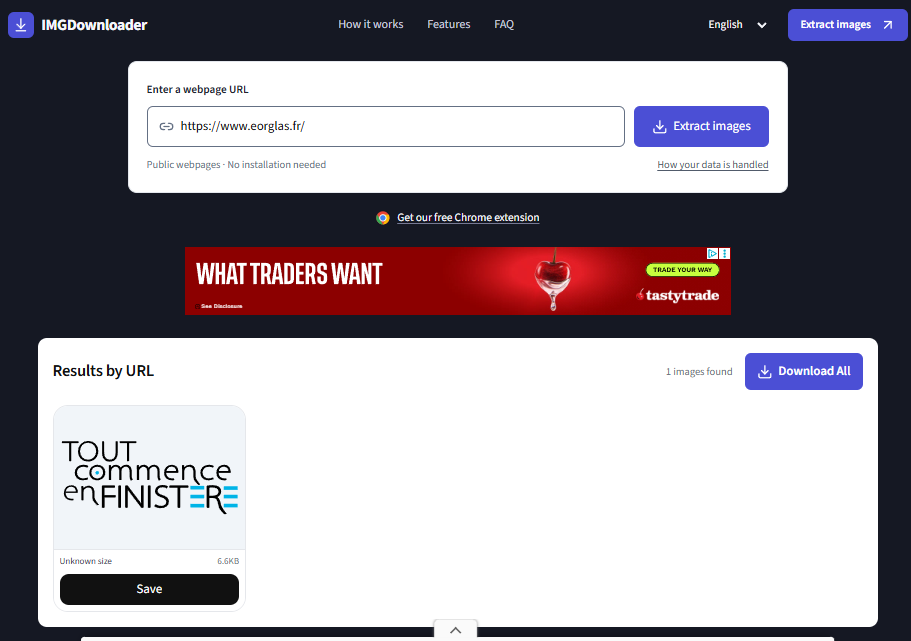
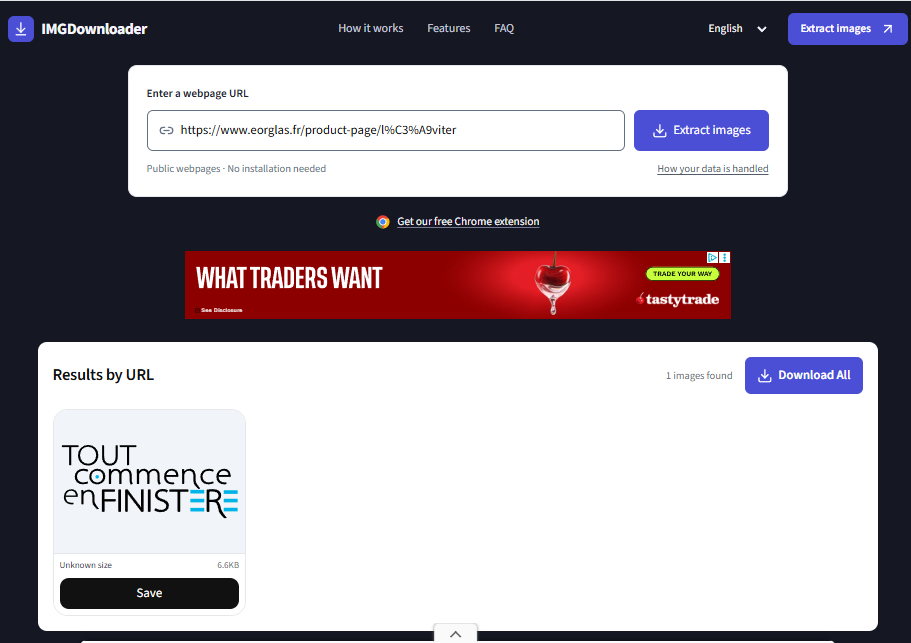
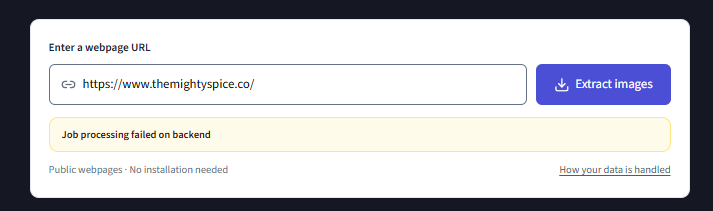
- IMGDownloader web app and browser extension: retained web-app attempts on the four Wix URLs did not produce usable comparable Wix image sets. Both Mighty Spice runs ended in processing errors, while both Eor Glas runs returned only an unrelated site graphic. In the browser-extension test, the extension succeeded on all four URLs, matched its selected counts to the downloaded ZIP counts, and returned all eight fixed product targets. The web app and extension results are kept separate.
- Image Downloader by Pact Interactive: the Eor Glas runs visibly showed image-load errors, and the browser download panel on the Léviter run showed repeated no-permission failures. We report the selected and downloaded counts as observed instead of treating the difference as a normalized failure rate.
- ImageExtract: in the retained test, individual-image downloads worked, but the ZIP was empty.
- ImagesReady: in the retained test, we could not obtain a downloadable ZIP.
Open IMGDownloader Wix evidence
Retained web-app screenshots: Eor Glas homepage · Eor Glas product page · Mighty Spice homepage · Mighty Spice product page
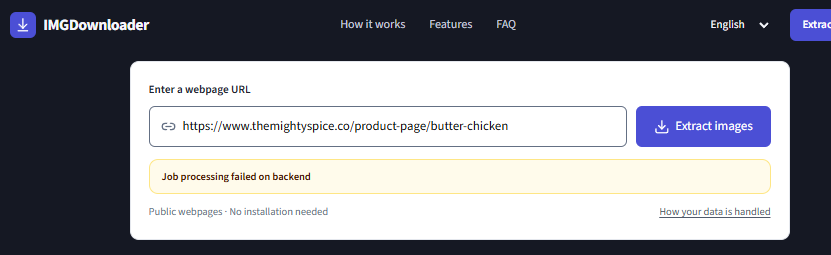
Browser-extension screenshots: Eor Glas homepage · Eor Glas product page · Mighty Spice homepage · Mighty Spice product page
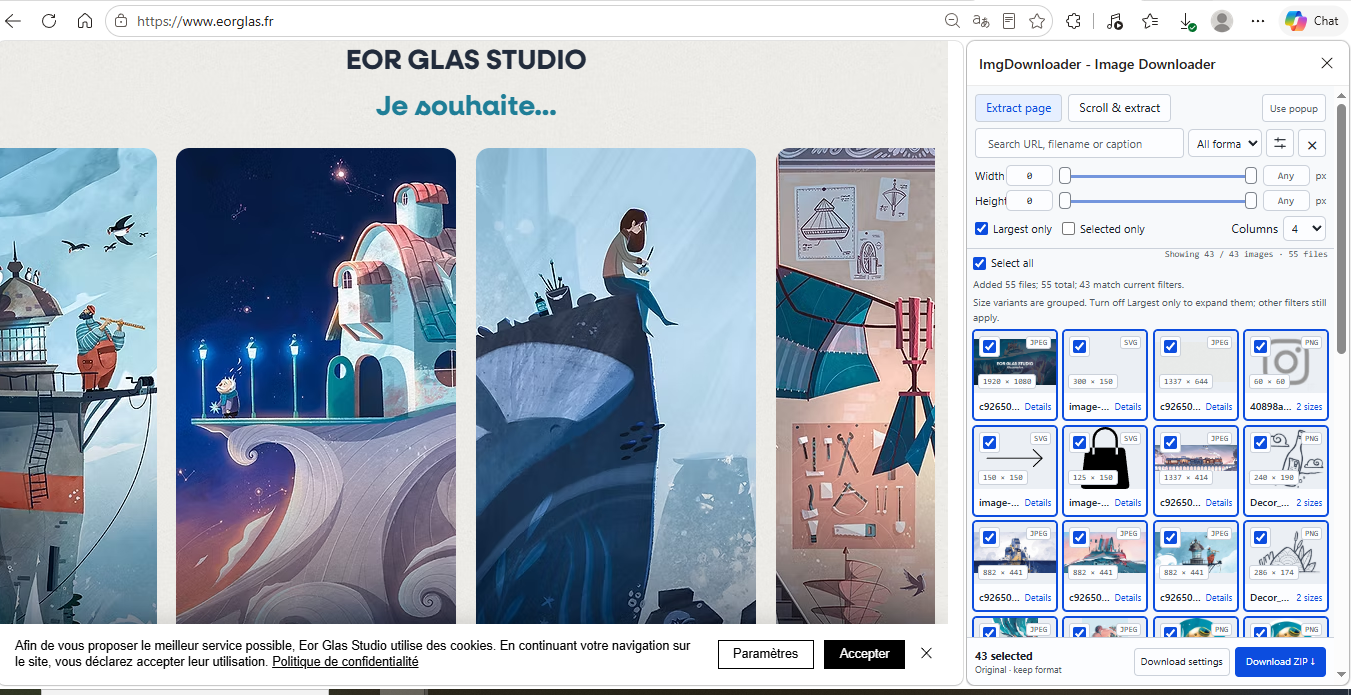
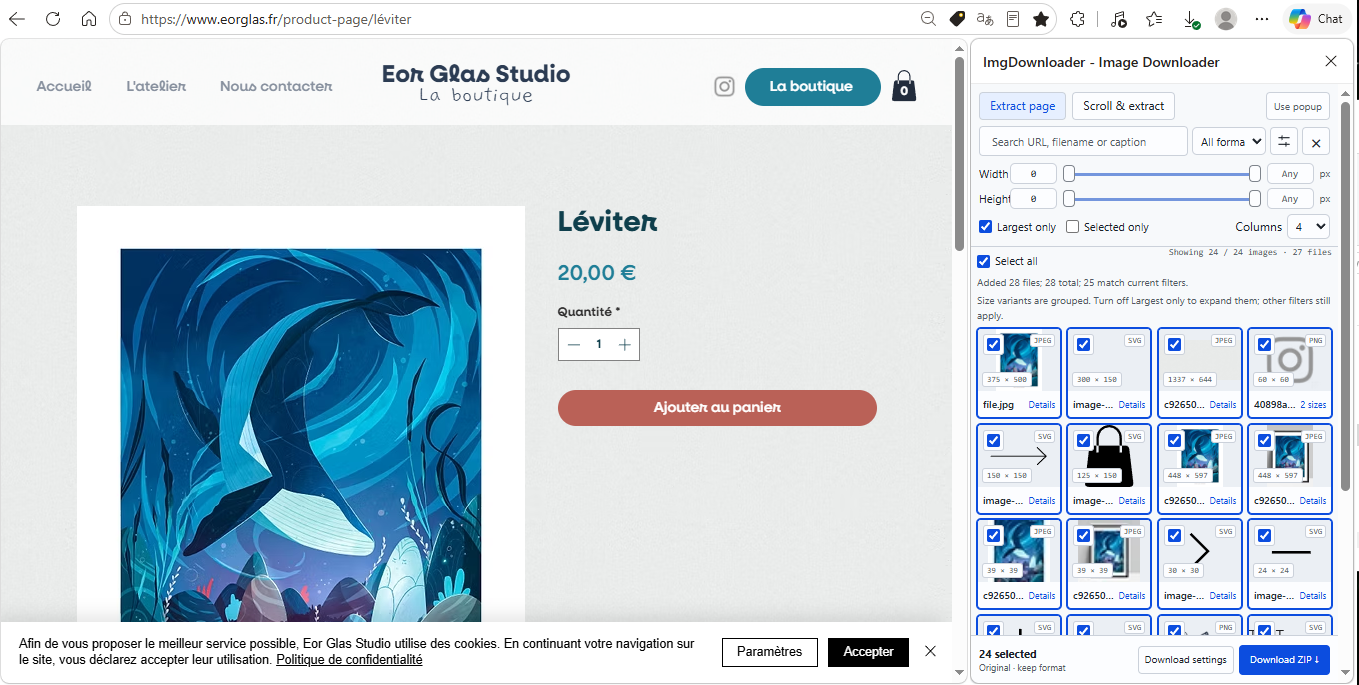
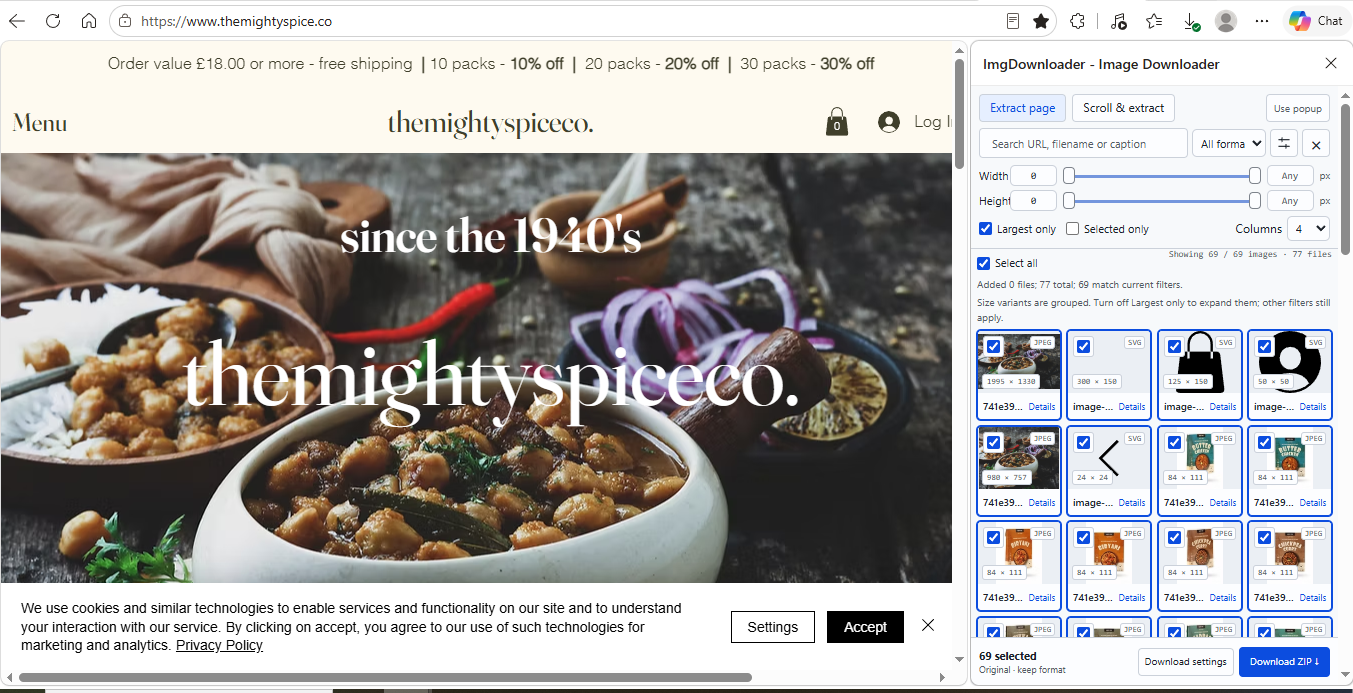
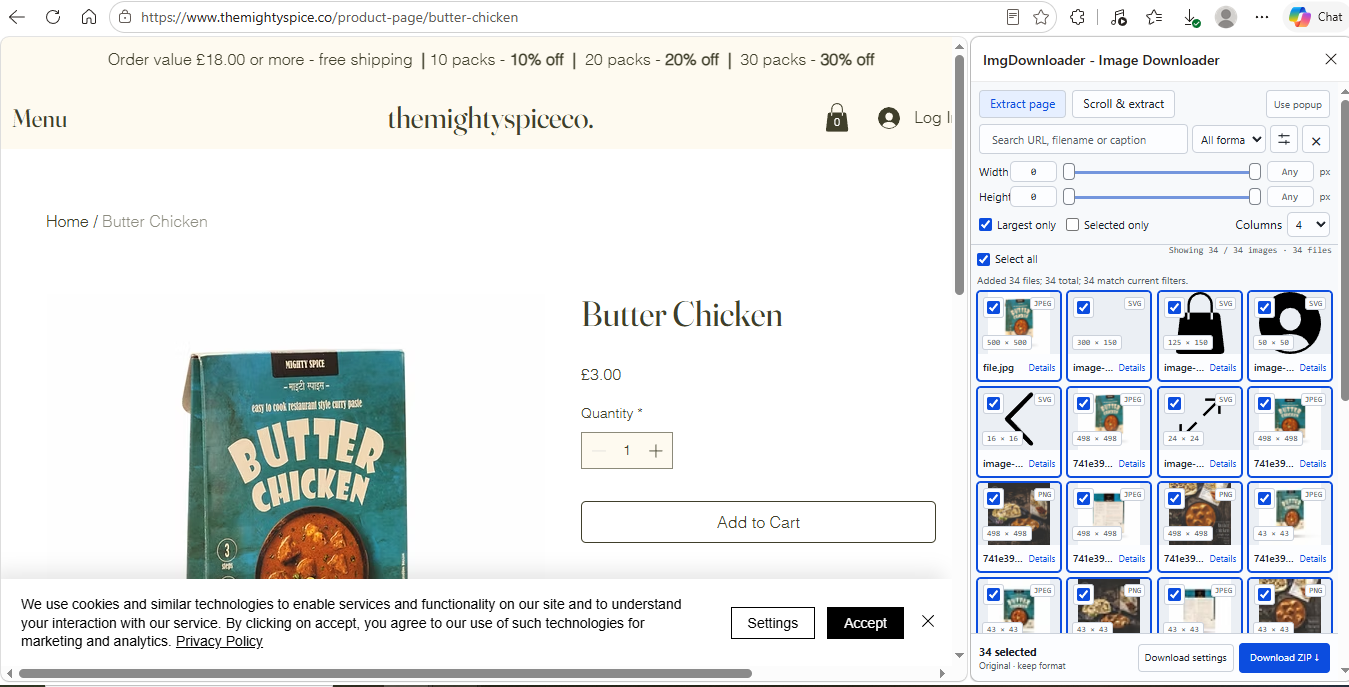
These observations describe the tested interfaces, URLs, and dates. Services can change, and a failure in one interface does not prove another interface or another website will behave the same way.
File naming, organization, and download completeness
Finding the right image is only part of the job. We also compared what the downloaded files were like to work with afterward: whether filenames stayed recognizable, whether pages or products stayed organized, whether source information was preserved, and whether exact duplicate image files remained in the download.
For this downloaded-file analysis, we used the Allbirds homepage and Cruiser Canvas product page with the same ten tools shown above. Where multi-URL downloading was supported, we also used the same three-page set from Allbirds, Mighty Spice, and Eor Glas.
File naming and organization
| Image downloader | Filename handling | Organization and source traceability |
|---|---|---|
| Source Image Finder | Recognizable source-derived filenames by default; numbered prefixes keep organized product files in order. | Keeps pages and products separate. Product downloads group images by role. Multiple URLs includes per-page assets.csv files and a run manifest. |
| extractpics.com | Offers Original name, site + number, or site + page + number. Original-name downloads may add -extractpics or fall back to generic numbered names. | One folder per page is available for batch downloads. images.csv maps files to source URL, page, dimensions, format, and size. |
| extract.pics | Mixed source-derived and UUID-style names; no meaningful filename control was found in the tested workflow. | Multi-page output was a flat ZIP with no page folders or included source manifest. |
| Imageye | Original File Name is available. Names were generally recognizable, sometimes with UUID or collision suffixes. | Current-page workflow with a user-entered subfolder option. The tested ZIP output was flat and included no source manifest. |
| GetAnyImage | Numbered, source-derived filenames. | Automatically groups files by role, such as hero, content, and thumbnail. manifest.json maps files to URL, role, dimensions, format, size, and alt text. |
| Grabit | Recognizable source-derived filenames with timestamp and sequence prefixes. | The retained ZIPs were flat and included no source manifest or page-level source mapping. |
| IMGDownloader | Generated numbered/hash names such as 0001-15ca2a3c.png. | Flat ZIP with no included manifest or source-page mapping. No multi-URL workflow was found. |
| Image Downloader by Pact Interactive | Recognizable source-derived names; a custom Rename files field is available. | User-defined download subfolders are supported. No source manifest was included; the tested workflow works on the current page. |
| ToolNova | Mostly recognizable source-derived filenames; repeated names may receive browser collision suffixes. | The Allbirds downloads were flat and included no source manifest or page-level source mapping. |
| Website Image Xtractor | Mostly recognizable source-derived names, with some generic image_N names. | Single-page and Bulk URLs downloads used one images folder. The bulk ZIP merged pages together and included no source manifest. |
Observed download counts and exact duplicate images
| Image downloader | What we observed |
|---|---|
| Source Image Finder | Default downloads contained 25 of 25 selected homepage images and 35 of 35 selected product-page images. The three-page Multiple URLs ZIP contained 44 of 44 image files. No exact duplicate images were found in those downloads. |
| extractpics.com | Single-page downloads contained 22 of 22 and 32 of 32 image files, with no exact duplicates found. The three-page result list contained 130 items, while the ZIP manifest contained 51 downloaded files; most of the difference came from Wix items classified as OTHER, including fonts. |
| extract.pics | In the three-page batch, 100 files were selected/reported for download and the ZIP contained 97. The archive contained 4 exact-duplicate groups involving 10 files, and page separation was not preserved. |
| Imageye | Downloads contained 51 of 51 homepage files and 71 of 71 product-page files. The homepage ZIP contained 2 exact-duplicate pairs; the product ZIP contained none. |
| GetAnyImage | The homepage showed 25 selected and the final ZIP contained 23 images. The product page produced 30 of 30 images. No exact duplicate files were found in either ZIP. |
| Grabit | The retained Allbirds homepage ZIP contained 15 image files, including both fixed homepage targets at 4000×4000. It contained 2 exact-duplicate groups involving 4 files. The Cruiser Canvas ZIP contained 6 image files; the five fixed gallery families topped out at 1280×1280 and no exact duplicate files were found. |
| IMGDownloader | The homepage reported 30 images and produced 29 files; 8 files belonged to 4 exact-duplicate pairs. The product page reported 37 and produced 37 files, with 1 exact-duplicate pair. |
| Image Downloader by Pact Interactive | The homepage folder contained 3 exact-duplicate pairs even with Only unique enabled. On the product page, the interface showed 35 selected and the downloaded folder contained 34 files; no exact duplicates were found there. |
| ToolNova | The Allbirds homepage showed 13 images and the retained download contained 12 image files. The Cruiser Canvas page showed 33 and the retained download contained 32 image files. No exact duplicate image files were found in either Allbirds archive. |
| Website Image Xtractor | The homepage reported 31 found and the ZIP contained 28 files. Three exact-duplicate pairs remained even after using Remove duplicates. The product page reported 45 found and the normal ZIP contained 42 files. Its three-page bulk ZIP contained 53 files with no exact duplicates. |
How to read the counts: tools use different definitions for found, shown, selected, filtered, and downloadable items. We report the counts exactly as observed and do not assume every difference means a failed download. An exact duplicate here means two downloaded image files with byte-for-byte identical contents. CSV, JSON, README, manifest, and other metadata/support files are excluded from duplicate-image counts. Different responsive sizes are not exact duplicates unless the downloaded image-file contents are identical.
Key findings
| Test | What happened |
|---|---|
| Allbirds homepage | Three tools returned 4000×4000 files for both matched shoe images: Source Image Finder, extractpics.com, and Grabit. Six other tools shown in the detailed table returned 1024×1024; ToolNova did not return either fixed homepage target in the retained core test. |
| Allbirds product page | Two tools returned 5 of 5 fixed gallery images at 4000×4000: Source Image Finder and extractpics.com. The other tools shown returned zero or one of the five at that size. |
| FreshCap | All ten tools were run on the same homepage. Observed counts ranged from 6 downloaded images with Grabit to 704 selected with Imageye, but the tools grouped, filtered, and exposed responsive variants differently. ToolNova downloaded 446 files that grouped into 75 filename groups after normalization, while Source Image Finder returned 70 files by default and 445 only in its all-verified-versions diagnostic mode. |
| Wix matched families | In the retained Source Image Finder vs extract.pics comparison, 45 of 46 directly matched Wix image families had higher pixel dimensions in the Source Image Finder download; one family tied. |
| Wix fixed targets | Eight of ten tools returned all 8 of 8 known product-gallery families. Source Image Finder and extractpics.com returned the same downloaded dimensions for all eight targets. GetAnyImage returned 7 of 8 and Website Image Xtractor returned 6 of 8. |
| Download reliability | IMGDownloader's web-app attempts did not produce usable Wix image sets, but its browser-extension test succeeded on all four Wix URLs and returned all eight fixed targets. ImageExtract produced an empty ZIP, and we could not obtain a downloadable ZIP from ImagesReady in the retained test. |
| Downloaded-file usability | Source Image Finder kept the three tested pages separate, organized product images by role, and included source-mapping metadata. extractpics.com also supported page folders and a source manifest, while GetAnyImage used role folders and a manifest. Several other tools returned flat or manually organized downloads without a source manifest. |
Scope: the retained record covers 14 services across four public websites and seven named webpage URLs. Not every service completed every test, so detailed tables compare only like-for-like results. These findings apply to the named pages and test dates, not every website or downloader.
How we tested
For each head-to-head comparison, we gave the tools the same public webpage URL. Downloaded files were measured directly. We did not use marketing claims, preview labels, or displayed file sizes as test results.
Read all test settings and counting rules
- Same public input where results are compared. Source Image Finder used Scan Single Page with Include Site UI off and Include all verified versions off. extractpics.com used Quick Extract. Other tools used their normal single-page or default workflow.
- Dimensions came from the downloaded files. We measured width and height rather than trusting filenames or labels shown in a tool.
- Missing stayed missing. If a tool did not return the target image, we recorded it as not returned instead of treating it as a smaller result.
- Format and resolution were separated. PNG, WebP, and other format differences are reported separately from pixel dimensions. File size in bytes is not used by itself as a quality score.
- Responsive variants were grouped conservatively. The FreshCap comparison covers all ten benchmark tools, and files were grouped only when filenames or media IDs clearly tied them to the same underlying image. The tested extract.pics account limited a single download to 100 images, so we report its 680 selected items but do not invent a full-archive duplicate count. Pact downloaded individual files and many cards showed Error loading Image, so its retained files were placed into a user-created ZIP for inspection.
- Diagnostic runs stayed separate from defaults. Source Image Finder's all-verified-versions run is shown only to explain responsive-image counts. It is not the normal download.
- No AI enlargement. Source Image Finder did not upscale or edit images to make them larger.
- Fixed-target completeness used known product-image families. We checked five Mighty Spice and three Eor Glas product-gallery families and counted each family once if it was returned, regardless of responsive size or duplicate copies. Raw result counts were not used as the completeness score.
- The Wix four-page test kept interfaces separate. extractpics.com, Imageye, GetAnyImage, Grabit, Image Downloader by Pact Interactive, Website Image Xtractor, the IMGDownloader browser extension, and ToolNova were run on all four Wix URLs using their normal/default page workflow. The IMGDownloader extension kept its default Largest only option enabled. Grabit kept its unchanged common/default settings: Prefer full size on, Original format, Medium speed, and 60 px minimum detection size. Source Image Finder and extract.pics use same-URL matched-family evidence from the same benchmark period.
- File-output analysis used actual downloads. We inspected filenames, folder structure, manifests, selected/downloaded counts where visible, and exact duplicate image files for the ten tools in the Allbirds comparison. Metadata/support files were excluded from duplicate-image counts. When a tool exposed an Original filename, Original format, or folder option, we used it and report whether organization was automatic or user-selected.
- Counts are not normalized across tools. Each service can define found, shown, selected, filtered, and downloadable items differently, so we report observed counts rather than treating every mismatch as a failed download.
- Exact-duplicate counts are image-only. We counted byte-identical downloaded image files and excluded CSV, JSON, README, manifest, and other metadata/support files. Similar-looking responsive variants with different image-file contents are not counted as exact duplicates.
The report measures fixed-target image-family completeness, downloaded pixel dimensions, responsive-variant duplication, source format where relevant, download reliability, filename handling, output organization, source traceability, and exact duplicate-image presence where the evidence supports those comparisons.
Reproducing or correcting these tests
The public records below identify the test URLs, settings, dates, and retained evidence. If a tool's behavior has changed or you can reproduce a different result under the same conditions, contact us. We will review the evidence and correct the benchmark when appropriate.
Services represented in the retained record
Source Image Finder, extractpics.com, extract.pics, Imageye, GetAnyImage, Grabit, IMGDownloader, Image Downloader by Pact Interactive, Website Image Xtractor, ImgMiner, Picspectra, ToolNova, ImageExtract, and ImagesReady. Some appear only in specific tests or retained reliability notes.
Limitations and disclosure
This is first-party testing by Source Image Finder, not independent third-party testing.
Open the core benchmark record (JSON) → · Open the file-output record (JSON) → · Open the Wix 10-tool record (JSON) → · Open the ToolNova standardized record (JSON) → · Open the Grabit standardized record (JSON) →
The saved record includes services and observations that are not all shown in the main tables. We keep the public tables focused on results that can be compared directly.
The saved 1024×1024 and 4000×4000 Allbirds files on this page came from these tests. We used full competitor ZIPs for analysis but do not republish competitor archives.
Results apply to the named URLs, settings, files, and dates. Websites and downloaders can change, and the page given to a tool can matter. In the Allbirds test, several tools returned only 1024×1024 from the homepage but reached 4000×4000 for the primary image when given the product page directly.
Pixel dimensions are useful for comparing downloaded file size in pixels, but they do not by themselves prove better visual quality. We separately note whether a tool found the image, preserved the source format, returned many responsive variants, or completed the download.
This benchmark does not measure every image downloader, every website platform, authenticated/private pages, or every feature offered by the tested services.
Run the same single-page workflow
If you want to try the same single-page workflow yourself, paste a public webpage URL into Scan Single Page to review the image files Source Image Finder can verify. The free single-page workflow uses the same core extraction and source-recovery system tested in this report.