
One product page
Use the free scanner when you already know the exact public WooCommerce product page you need.
Scan Single PageUse Store Catalog to find product images on a supported public WooCommerce store. It uses the store's public product sitemap to find product pages. Preview the products, choose what to process, and download images organized by product.
Preview discovered WooCommerce products for free. Processing selected products requires Business or higher, starting at $29/month. If you already know one product page, use Scan Single Page. See pricing.
Paste a public WooCommerce store, product, or sitemap URL into Store Catalog. Source Image Finder looks for supported public product sitemaps and shows a preview of the products it finds.
You do not need WordPress admin access, a WooCommerce plugin, store credentials, or a CSV export just to discover public product pages and process their image files.
WooCommerce stores often list product pages in sitemaps created by WordPress or a plugin. Store Catalog checks the supported sitemaps it can find and looks for product-page URLs.
This depends on the store's public sitemap structure. If a site does not expose a supported public product sitemap, Store Catalog may not be able to discover its catalog automatically.
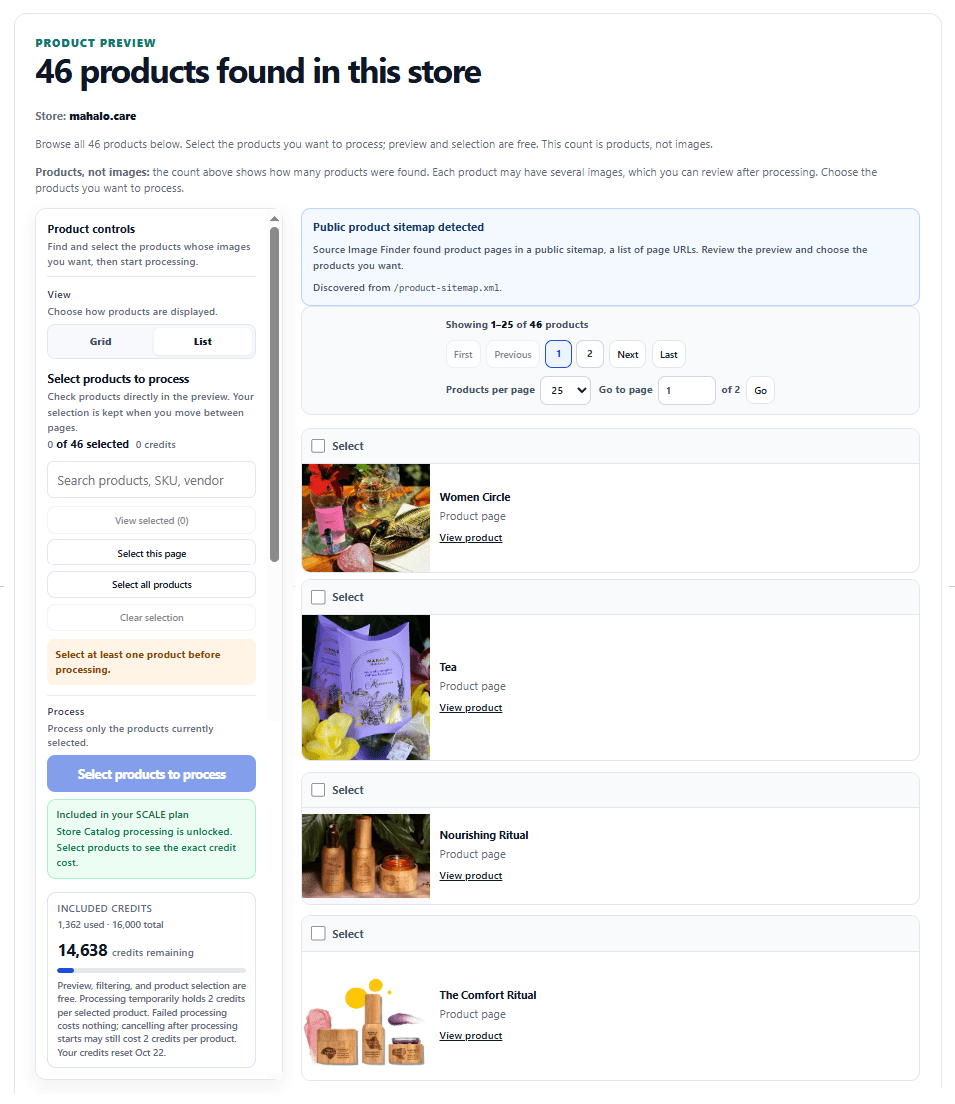
Store Catalog uses public storefront pages and public sitemap data. It does not sign in to WordPress, access WooCommerce Admin, install a plugin, or read private store data.
This workflow is for image files, not a general WooCommerce product export for prices, inventory, orders, customer data, or store administration.
Each selected product page is processed for its product media. WordPress can publish generated image filenames such as width-and-height variants or -scaled files. When Source Image Finder can verify a larger public file for the same image, it can use that as the best file. How higher-resolution image recovery works →
In our October 12, 2026 test of the public Focus Blouse product, Source Image Finder downloaded three distinct 1500 × 1909 JPEG photographs. Its export also linked three embedded color variations to the matching photographs. The All Useful ZIP contained four photographs and no site-interface graphics, and we checked the exported CSV file paths. This is one public demo product, not a guarantee that other WooCommerce stores expose the same images or variation records. See supported platforms and URL types.
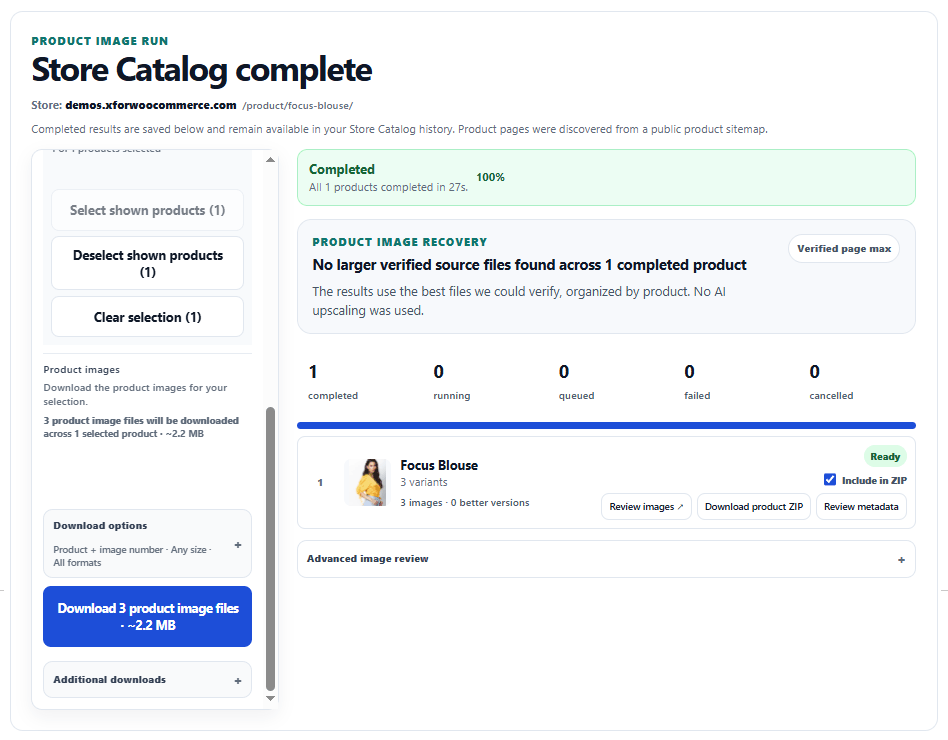
Each completed WooCommerce product keeps its own result set. You can review or download one product by itself, or combine selected completed products when you need a larger export.
No. Source Image Finder works from supported public storefront and sitemap data.
No. Store Catalog can start from the public store, a public product page, or a supported public sitemap URL.
No. The store must be public, and its product sitemap or page structure must be supported.
Not with the Shopify-style collection and vendor filters. Sitemap-based WooCommerce previews let you review and select the discovered products before processing.
No. This workflow focuses on product image files rather than general WooCommerce store data.
Use the free scanner when you already know the exact public WooCommerce product page you need.
Scan Single PageUse Multiple URLs when you already have a list of WooCommerce product pages and do not need catalog discovery.
Open Multiple URLsUse Store Catalog when you want Source Image Finder to discover products from a supported public WooCommerce product sitemap.
Open Store Catalog